
Player-reported guidance: not reproduced here in the current build.
My ship won't turn the way I expect
First actionIdentify the part family: basic wireless RCS thrusters, or small maneuvering thrusters with power and data ports.
Check nextOne axis responds predictably before you wire or test the next.
Pitch, yaw, or roll behaving strangely? The Steam thread mixes two different part families. Choose the path that matches the thrusters on your ship.
Quick answer
Try this first
Basic RCS uses the RCS controller: connect the joystick's pitch, yaw, and roll outputs, then label the six RCS thrusters as pitch A/B, yaw A/B, and roll A/B. Wired maneuvering thrusters use a different path: send each joystick axis through a Joystick Splitter and connect its two 0-to-1 outputs to the matching thruster pair.
- 1
Identify the part family: basic wireless RCS thrusters, or small maneuvering thrusters with power and data ports.
- 2
For basic RCS, connect the joystick's pitch, yaw, and roll axes to the three RCS-controller inputs, then assign the six thrusters as pitch A/B, yaw A/B, and roll A/B.
- 3
For wired maneuvering thrusters, connect one joystick axis to a Joystick Splitter, then connect the split outputs to the two thrusters that oppose each other on that axis.
- 4
Repeat the splitter path for pitch, yaw, and roll, testing one axis before wiring the next.
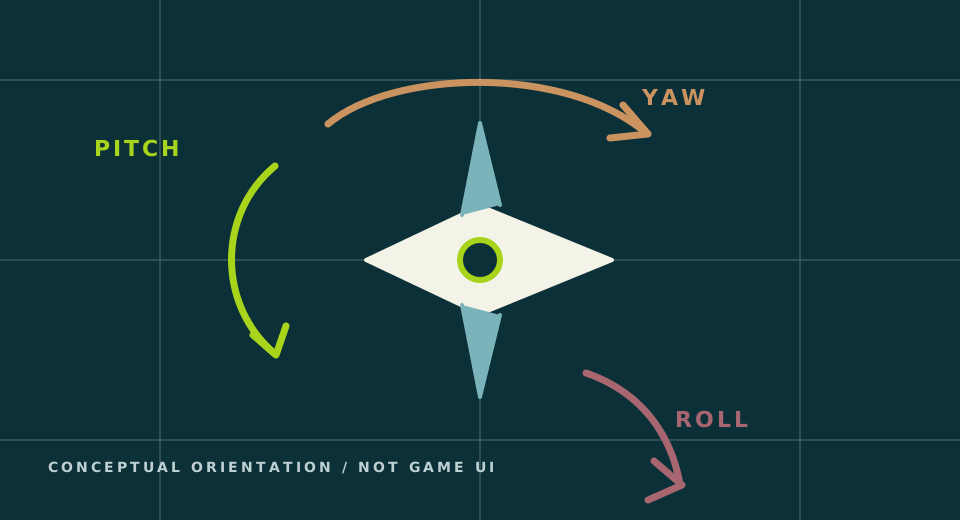
Visual orientation
Separate the three directions before wiring
Give a conceptual orientation aid for the RCS guide without depicting real controller ports.
What is happening
One thread contains two different wiring answers
Basic RCS thrusters are assigned to the controller by axis and A/B direction. Small maneuvering thrusters have their own power and data ports, so players report splitting each joystick axis into two positive outputs and wiring those outputs to the opposing pair.
Troubleshooting
If that does not solve it
- Disconnect two axes and test pitch only on a minimal ship.
- If the ship turns the wrong way, swap the two outputs for that axis instead of rewiring the whole ship.
- If the front-panel labels look different from an older guide, use the current layout: update 1.0.008 swapped Yaw and Roll on the RCS Controller front panel to match the rear ports.
- Check the current Manual as well; an official update added more RCS setup hints.
Before you switch paths
Carry three signals forward.
A changed guide is easier to test when it starts from the exact point where this one stopped.
- 01Current game version and active mission
Old values can describe a different build or objective.
- 02The part, input, or control path that failed
Use the current in-game name and note the ports or axis involved.
- 03What happened after the first action
Record one observed result before changing several things at once.
These notes describe your own run; they do not turn a community report into current-game proof.
Confidence
What is confirmed
These are community-reported wiring paths from a detailed Steam discussion. This site has not yet reproduced them in the current build or captured an original wiring screenshot.
- The in-game Manual received added RCS setup hints in an official update.
- Official update 1.0.008 swapped Yaw and Roll on the RCS Controller front panel to match the rear output-port layout.
- Basic RCS thrusters can be assigned as pitch A/B, yaw A/B, and roll A/B through the RCS controller.
- A player measured joystick output as -1 to +1 and reported that the Joystick Splitter converts it into two 0-to-1 outputs for a wired thruster pair.
Sources and version notes
Game-version context checked 2026-08-20: Full release 1.0.012; wiring not yet reproduced first-party
- Approximately Up - official Steam News feedConfirms the most recently named patch, 1.0.012, and a later official roadmap announcement. Roadmap items are not current features or first-party reproduction of guide steps.
- Changelogs copied from DiscordRecords current 1.0.008 and 1.0.009 version changes, including RCS label layout, BPS negative-speed handling, and corrected Wireless Transmitter range; not first-party gameplay proof.
- Pitch without RCS?Establishes the pitch and RCS wiring problem cluster.
- small maneuvering thrustersDocuments separate basic-RCS and wired maneuvering-thruster paths, including the community-reported Joystick Splitter method; still needs first-party reproduction.
- Left/right on maneuver stickEstablishes joystick direction confusion.
- Approximately Up: How to build ships tutorialCurrently available historical visual walkthrough for the RCS build page. It is not transcript-verified and is not used as proof of current ports, bindings, axis names, or values.