
Player-reported guidance: not reproduced here in the current build.
The radar marker has no crate
First actionKeep the radar marker centered while you approach the area.
Check nextYour search narrows from the marker to a slow ground-level scan instead of another fast pass.
At the marker but still cannot see the shipment? Players report that the crate is small and flashes on the ground, so it is easy to fly past from the ship.
Quick answer
Try this first
Keep the marker centered as you approach, reduce the radar range when you get close, then make a safe nearby landing and inspect the ground on foot if the flashing crate is still not visible.
- 1
Keep the radar marker centered while you approach the area.
- 2
Reduce the radar range as you get closer.
- 3
Slow down and scan the ground for a small flashing crate.
- 4
If it is still not visible from the ship, land safely nearby and use the jetpack or on-foot view to inspect the ground.
Visual orientation
The marker gets you close, then the search gets specific
Explain the narrowing-search concept without presenting an invented radar interface or crate screenshot.
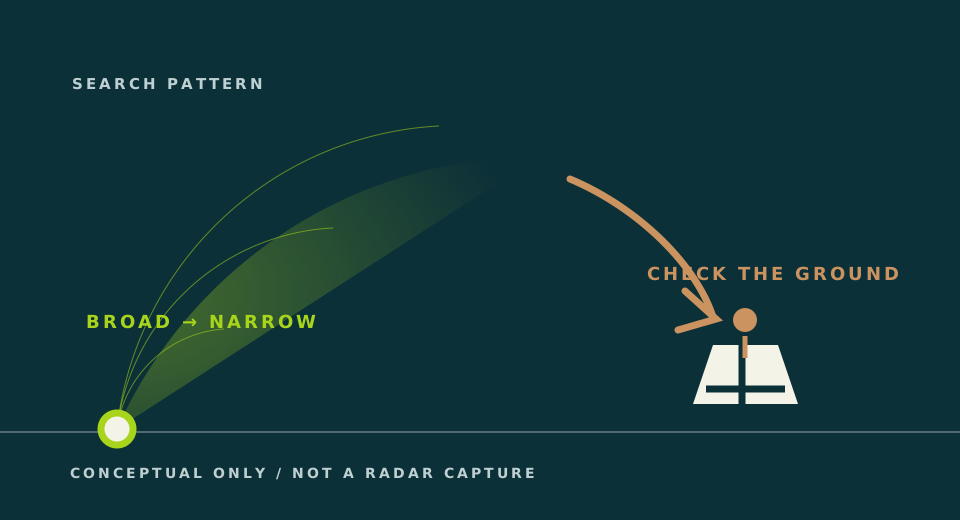
What is happening
The marker gets you close, not onto the crate
Two community threads describe the same trap: the marker narrows the area, but the crate remains a small flashing ground object. The newer thread adds a practical recovery step when a hover pass fails: land nearby and inspect the ground on foot.
Troubleshooting
If that does not solve it
- Make another slow pass while changing only the radar range.
- Search the ground around the marker instead of waiting for a large mission object; if the pass fails, land safely nearby and inspect on foot.
- If the crate still does not appear, the current wiring and pickup flow need a fresh in-game check; this site does not have a confirmed second fix yet.
Before you switch paths
Carry three signals forward.
A changed guide is easier to test when it starts from the exact point where this one stopped.
- 01Current game version and active mission
Old values can describe a different build or objective.
- 02The part, input, or control path that failed
Use the current in-game name and note the ports or axis involved.
- 03What happened after the first action
Record one observed result before changing several things at once.
These notes describe your own run; they do not turn a community report into current-game proof.
Confidence
What is confirmed
This is community guidance. The site has not yet captured a current-build radar, landing, or on-foot crate view, or completed the pickup itself.
- Players report reaching the radar marker but seeing no package.
- Replies in two public threads independently mention closer radar zoom and a flashing ground beacon.
- One newer player reply adds a safe nearby landing and jetpack/on-foot check when hovering does not reveal the crate.
- Historical update notes show radar behavior has changed before.
Sources and version notes
Game-version context checked 2026-08-20: Full release 1.0.012; mission flow not yet reproduced first-party
- Approximately Up - official Steam News feedConfirms the most recently named patch, 1.0.012, and a later official roadmap announcement. Roadmap items are not current features or first-party reproduction of guide steps.
- Changelogs copied from DiscordRecords current 1.0.008 and 1.0.009 version changes, including RCS label layout, BPS negative-speed handling, and corrected Wireless Transmitter range; not first-party gameplay proof.
- no shipmentsA public 2026-08-20 recheck of a May player thread: several replies agree that crates are small flashing ground objects and radar needs closer zoom; one reply adds a safe nearby landing and jetpack/on-foot inspection if hovering does not reveal the crate. Community evidence only; no current-build reproduction was performed by this site.
- Missions - where are the packages?Independent evidence that lost packages block progression.